5 Best Figma Image Compressor Plugins to Reduce File Size
mitran.design
Published on 8 Oct 2026
5 Best Figma Image Compressor Plugins to Reduce File Size
Designers love beautiful visuals. High-resolution images, illustrations, and UI assets make interfaces look polished and professional.
However, those same images can quickly become a problem when they increase file size and slow down your design workflow.
If you've ever worked on a complex product interface in Figma, you've probably noticed how large images affect performance. Files start lagging, prototypes take longer to load, and exporting assets becomes frustrating.
Quick Comparison: 5 Figma Image Compression Plugins
| Plugin | Best for | PNG/JPG | Batch compression | Main trade-off |
|---|---|---|---|---|
| Small IMG | Fast in-Figma compression | Verify | Verify | Verify |
| TinyImage | Batch optimization | Verify | Verify | Verify |
| Image Optimizer | Adjustable compression | Verify | Verify | Verify |
| Squoosh for Figma | Advanced control | Verify | Verify | Verify |
| Image Palette & Compressor | Palette plus compression | Verify | Verify | Verify |
The best option depends on your workflow. Consider supported formats, batch processing, compression controls, image quality, and how easily the plugin fits into your Figma workflow.
Recommended Plugin
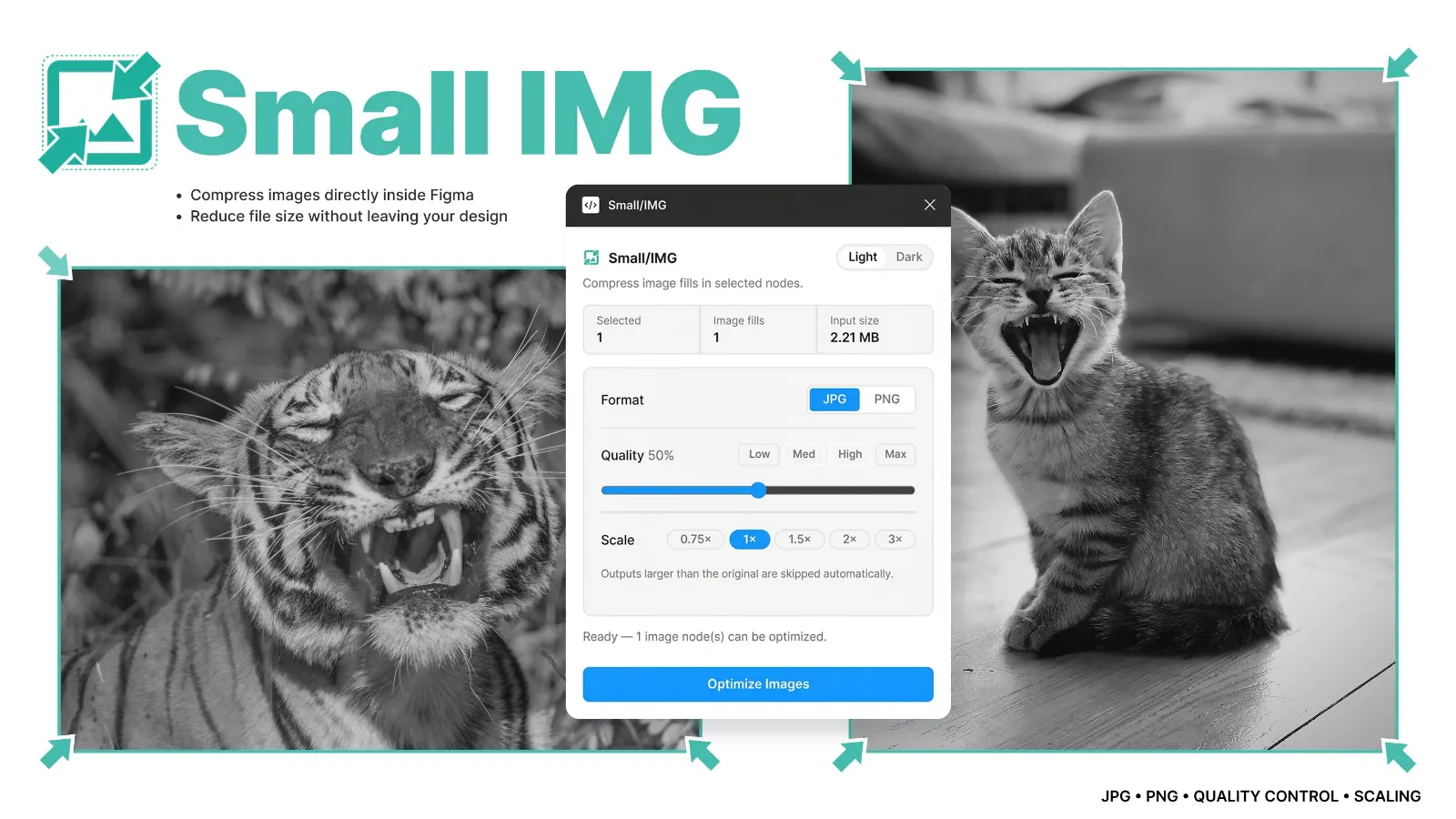
If you're looking for a fast way to compress images directly inside Figma, try Small IMG. This lightweight Figma image compressor plugin helps reduce file size instantly while keeping your design workflow simple.
Install the Small IMG plugin →
Why Image Compression Matters in Figma Projects
Images play a major role in UI and product design. Whether you're building landing pages, dashboards, or mobile apps, your designs likely include many visual assets.
Unfortunately, high-quality images often come with large file sizes. When multiple large images are placed inside a Figma file, performance problems can start to appear.
Common Problems Caused by Large Images
- Slower design performance – large images increase memory usage and create lag.
- Heavy design files – larger files are harder to load and collaborate on.
- Slow prototype loading – stakeholders may wait longer for prototypes.
- Difficult developer handoff – exporting optimized assets becomes time-consuming.
Benefits of Compressing Images in UI Design
Using a Figma image compressor plugin solves these issues quickly and improves the overall design workflow. Tools like Small IMG can reduce image size without leaving the Figma interface.
- Smaller design file sizes
- Faster loading prototypes
- Easier collaboration between designers
- Better asset exports for developers
- Improved performance when presenting designs
Top 5 Figma Plugins for Compressing Images
Small IMG – Figma Image Compression Plugin
Small IMG is a lightweight Figma plugin designed to quickly compress images without leaving your design workflow. It helps reduce image size while maintaining visual quality, making large design files easier to manage.
- Compress PNG and JPG images directly inside Figma
- Reduce Figma file size instantly
- Improve prototype performance
- Simple one-click workflow
TinyImage Compressor
TinyImage is one of the most widely used image compression plugins inside Figma. It supports PNG and JPG compression and allows designers to batch optimize images quickly.
Image Optimizer
Image Optimizer provides simple controls for adjusting compression levels and previewing results before exporting assets.
Squoosh for Figma
Based on Google's Squoosh compression engine, this plugin offers advanced algorithms and detailed size comparisons.
Image Palette & Compressor
This plugin combines palette extraction and image compression, helping designers maintain consistent color systems while optimizing images.
How to Install Figma Compression Plugins
- Open Figma
- Click Resources → Plugins
- Search for the plugin name
- Click Install
You can also browse the full plugin library in the Figma Community .
FAQ
How do you compress images in Figma?
You can compress images in Figma by using plugins designed for image optimization. Plugins like Small IMG allow designers to quickly reduce file size directly inside the Figma interface.
What is the best Figma image compressor plugin?
Several plugins offer image compression features, but Small IMG focuses on fast compression and a simple workflow that helps designers optimize images without leaving their design files.
Why should designers compress images in Figma?
Compressing images reduces Figma file size, improves design performance, and makes collaboration easier for teams working on large design projects.
Compress Images Faster in Figma
Try the Small IMG plugin to quickly compress images and keep your Figma files lightweight.
Install Small IMG →Final Thoughts
Managing images efficiently is an essential part of modern UI design. Large images can slow down Figma files, complicate collaboration, and reduce productivity. Using a Figma image compressor plugin like Small IMG helps keep files lightweight and improves the overall design workflow.